
'%3E%3Cpath d='M0,0 v30 h60 v-30 z' fill='%23012169'/%3E%3Cpath d='M0,0 L60,30 M60,0 L0,30' stroke='%23fff' stroke-width='6'/%3E%3Cpath d='M0,0 L60,30 M60,0 L0,30' clip-path='url(%23t)' stroke='%23C8102E' stroke-width='4'/%3E%3Cpath d='M30,0 v30 M0,15 h60' stroke='%23fff' stroke-width='10'/%3E%3Cpath d='M30,0 v30 M0,15 h60' stroke='%23C8102E' stroke-width='6'/%3E%3C/g%3E%3C/svg%3E)


Guide
How to use on Desktop
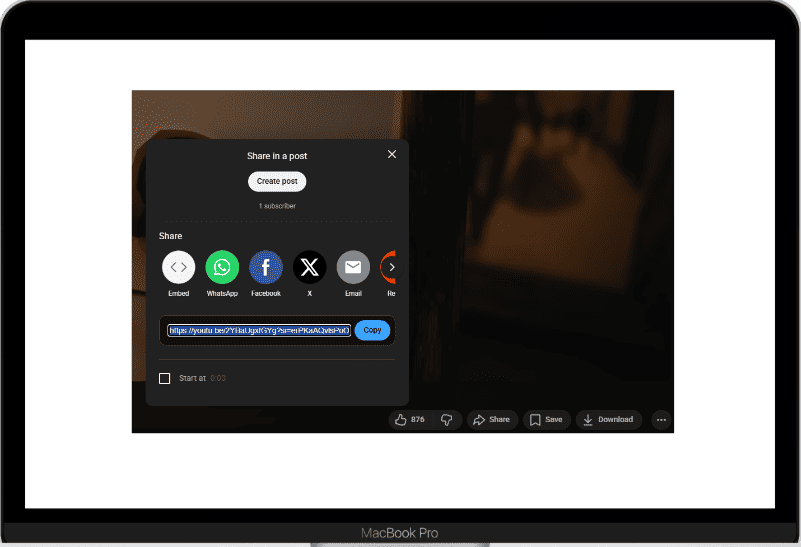
Copy YouTube video link
Open the video you want to download on YouTube, then click the Share button and select Copy link to copy the video link.
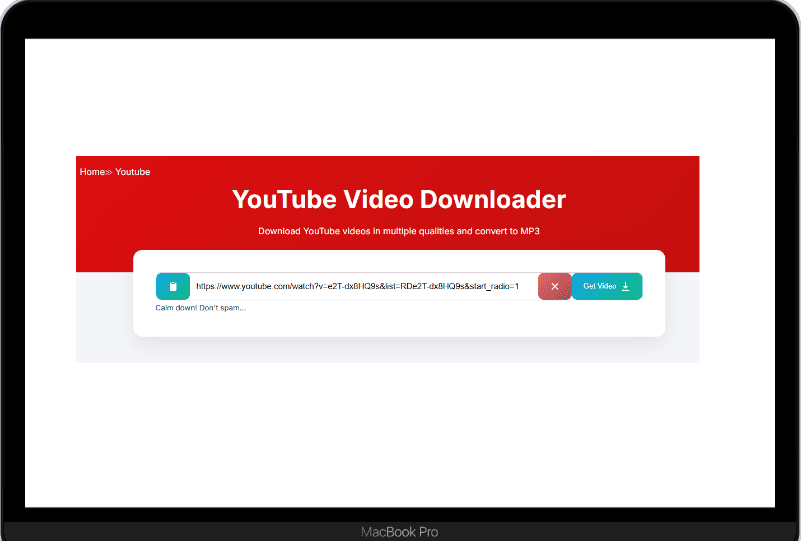
Paste link into download tool
Return to our website and paste the YouTube video link into the Paste YouTube link input box.
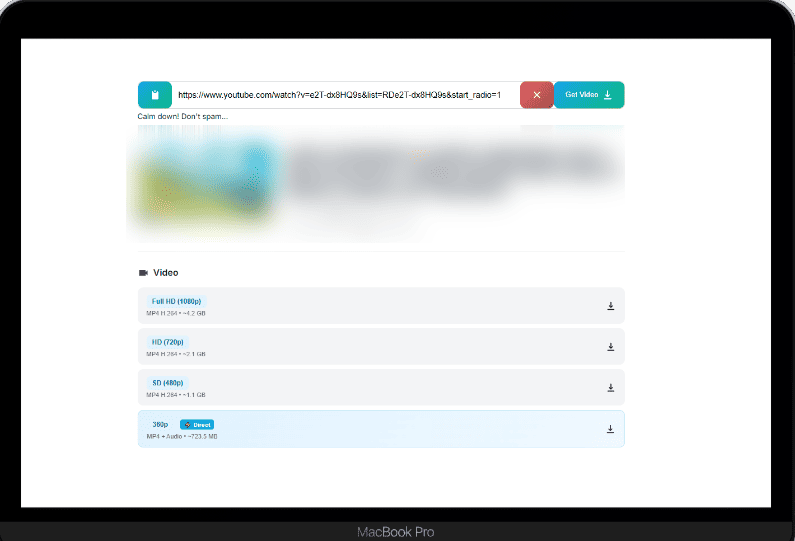
Click the Get / Download button
Click the Get or Download button. The system will process the video and display download options.
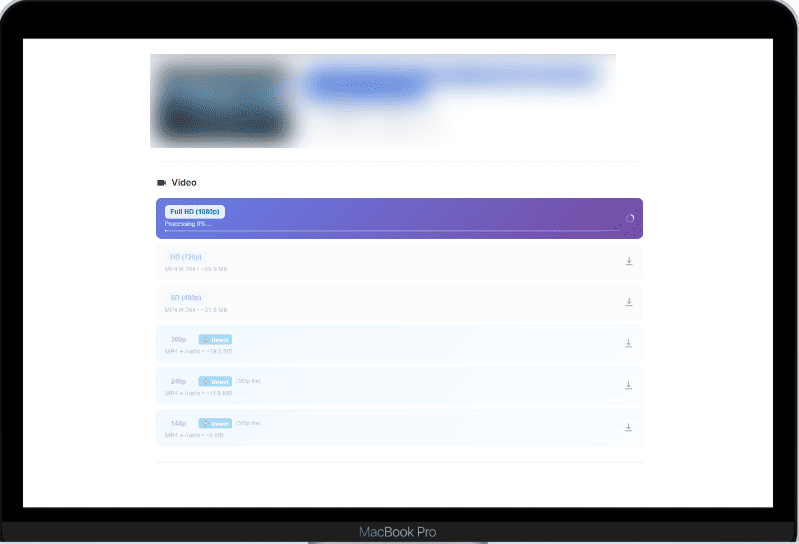
Choose format and download
Choose the format you want such as MP4 or MP3, then press Download to save the video or audio to your device.
How to use on Mobile
Copy YouTube video link
Open the video you want to download on YouTube, then click the Share button and select Copy link to copy the video link.
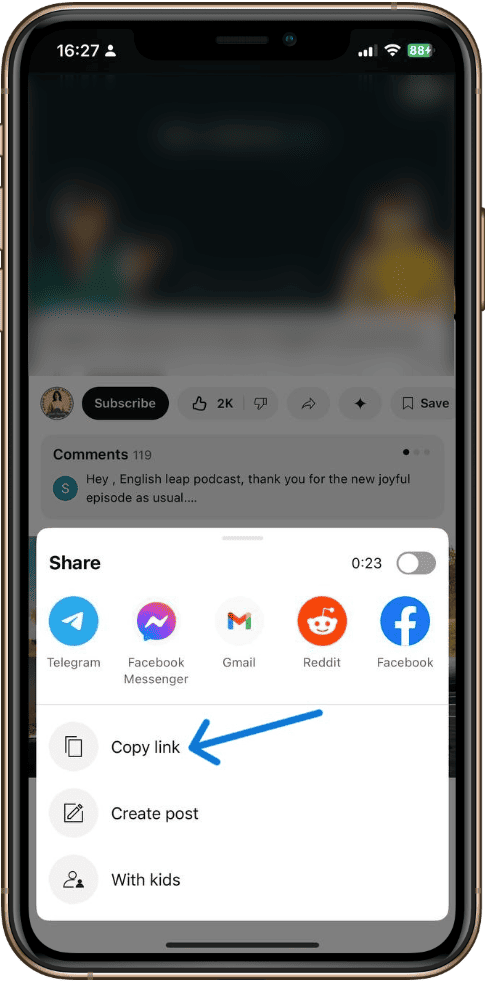
Paste link into download tool
Return to our website and paste the YouTube video link into the Paste YouTube link input box.
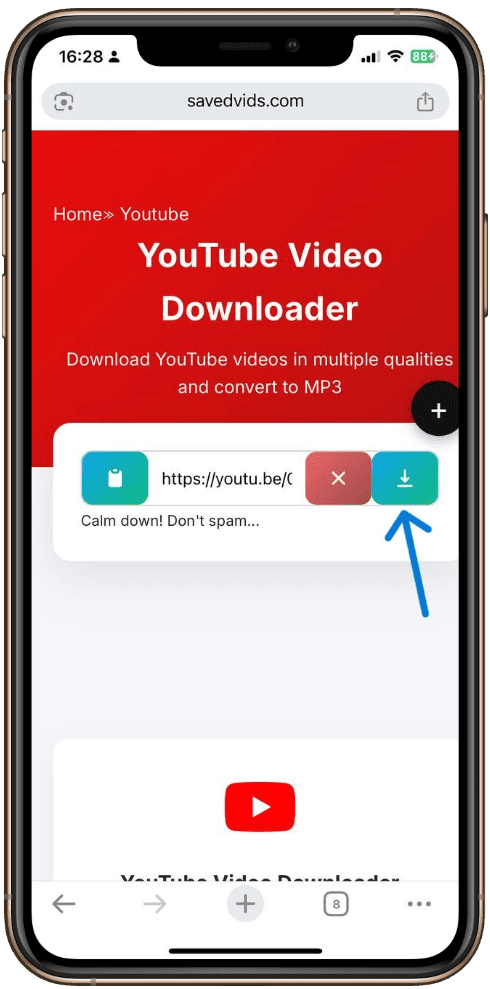
Click the Get / Download button
Click the Get or Download button. The system will process the video and display download options.
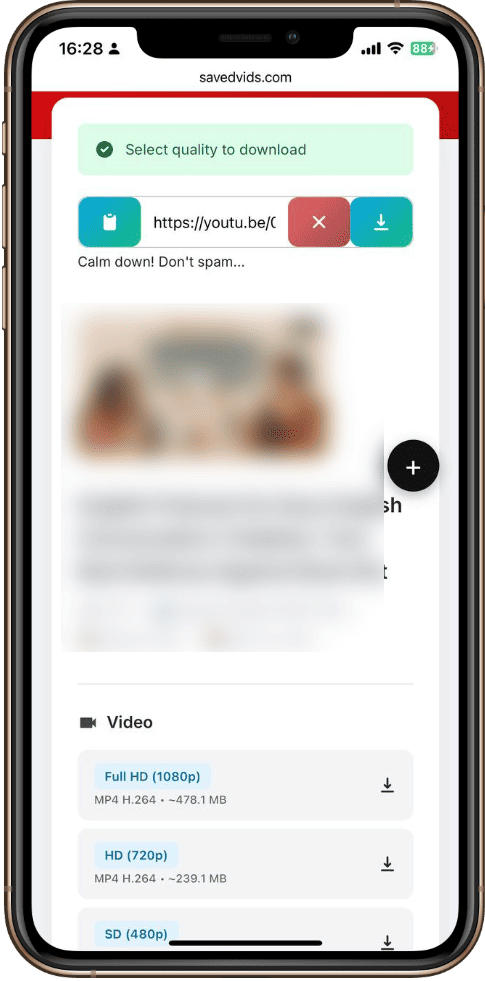
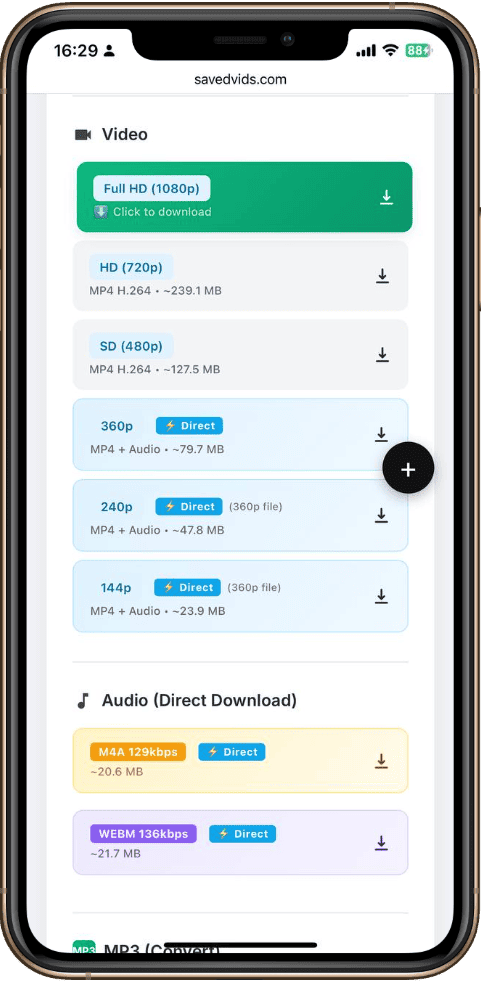
Choose format and download
Choose the format you want such as MP4 or MP3, then press Download to save the video or audio to your device.
How to use on Desktop
Open Facebook
Go to Facebook and find the video or reel you want to download
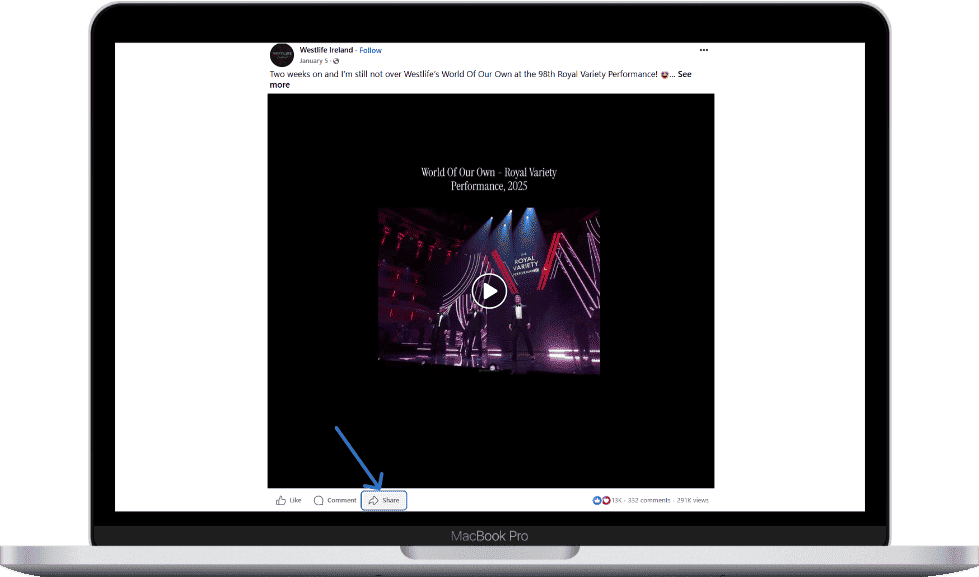
Copy Link
Click on "Share" button and select "Copy link"
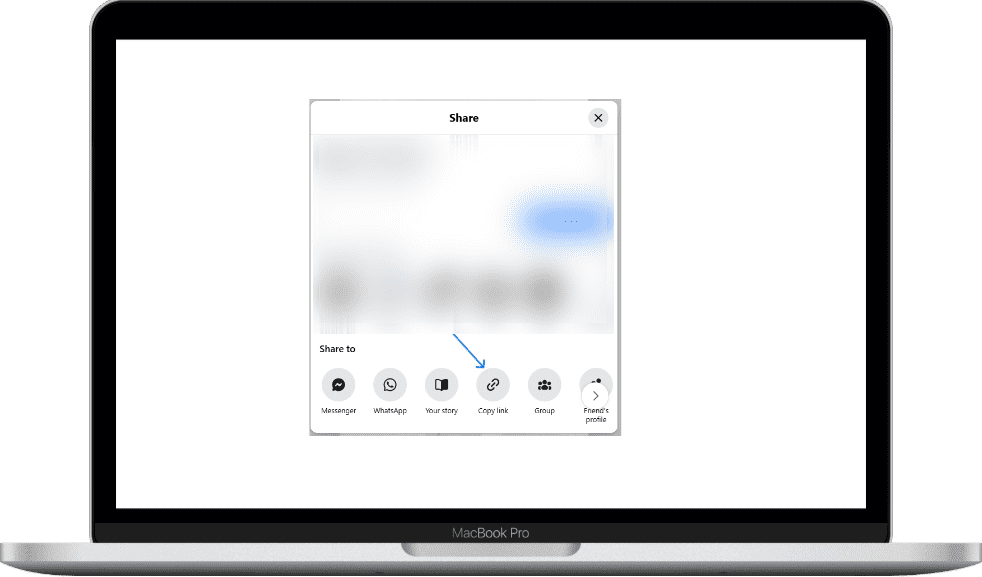
Paste Link
Paste the link in the box above and click "Download"
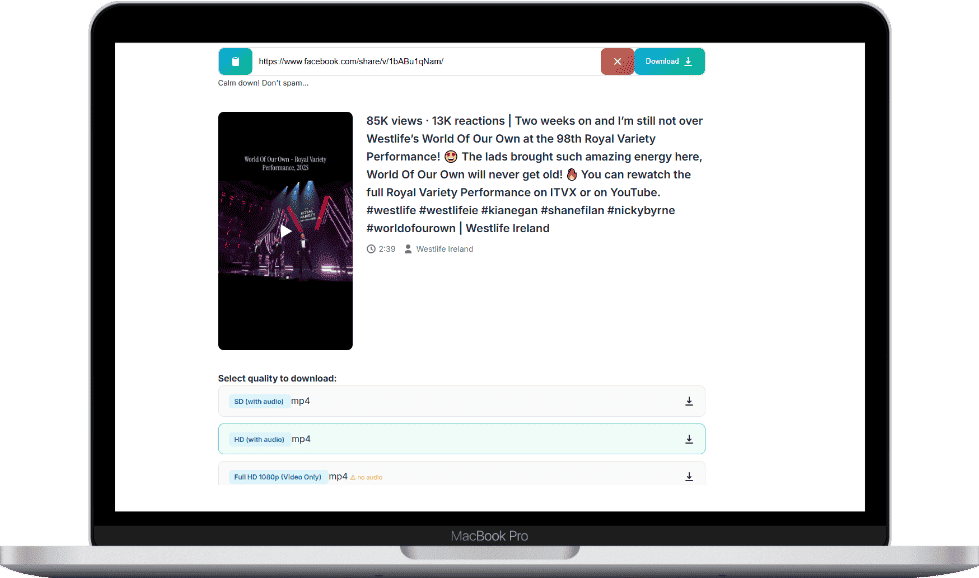
Download
Select your desired quality and download the video
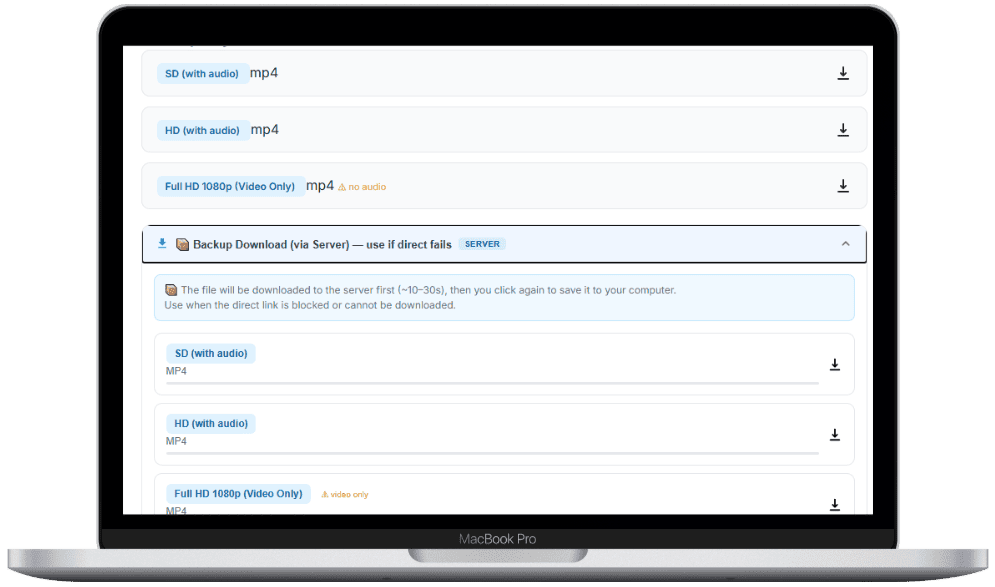
How to use on Mobile
Open Facebook
Go to Facebook and find the video or reel you want to download
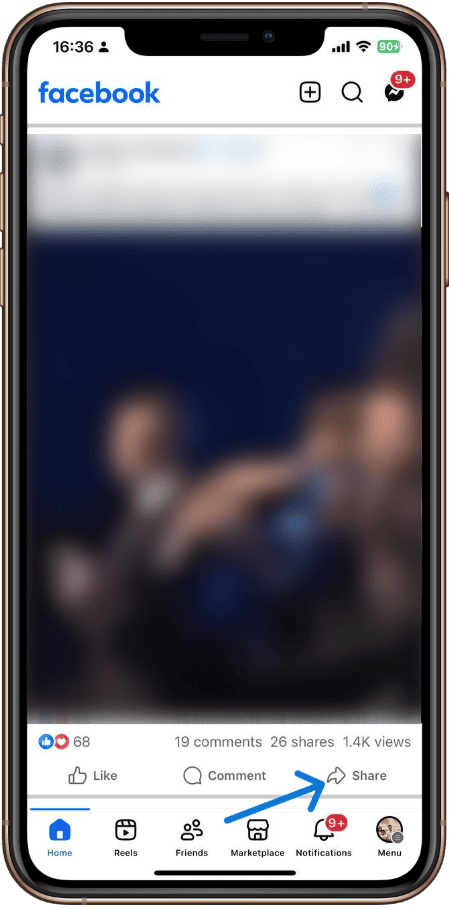
Copy Link
Click on "Share" button and select "Copy link"
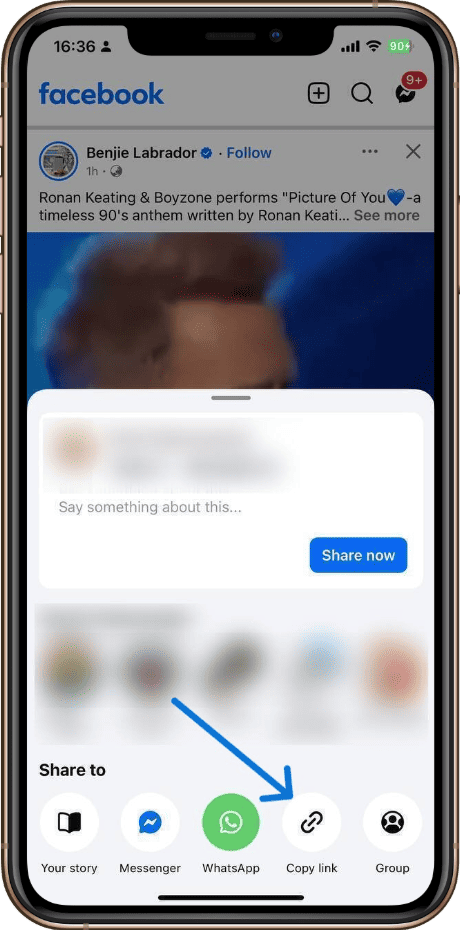
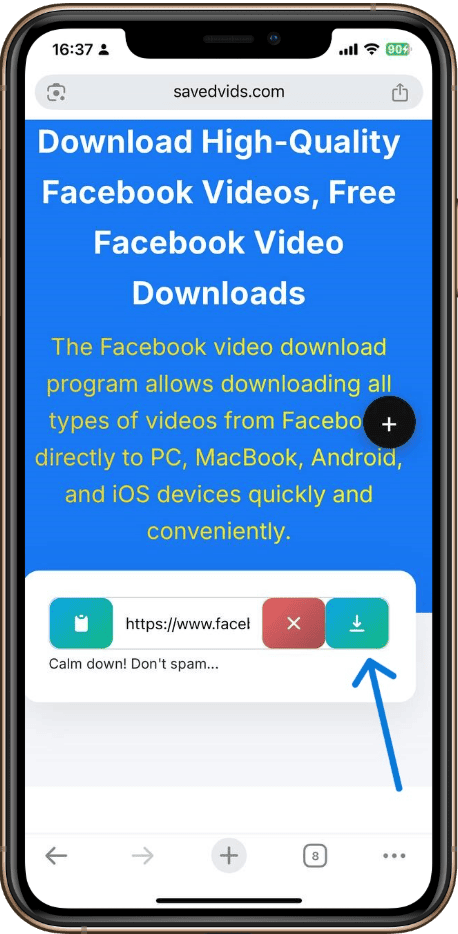
Paste Link
Paste the link in the box above and click "Download"
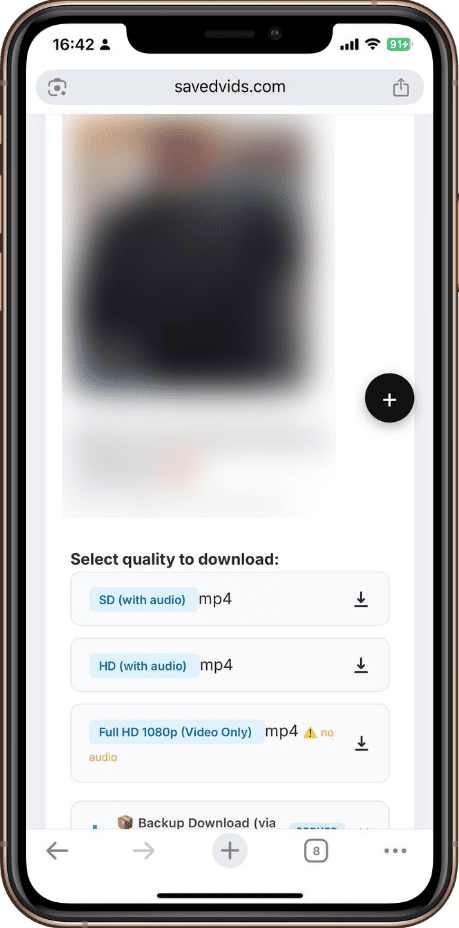
Download
Select your desired quality and download the video
How to use on Desktop
Open TikTok
Find the video on TikTok app or website.
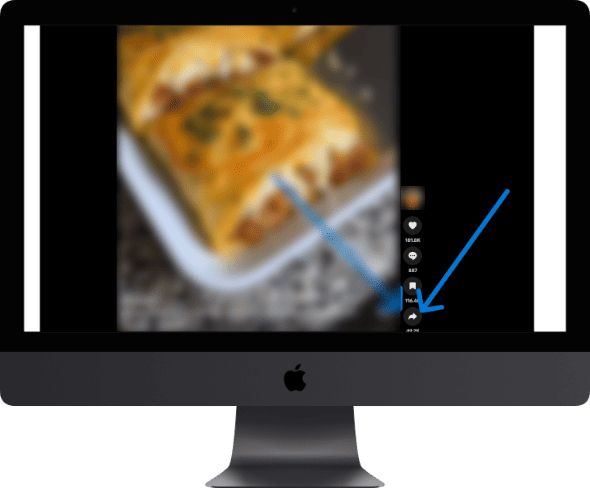
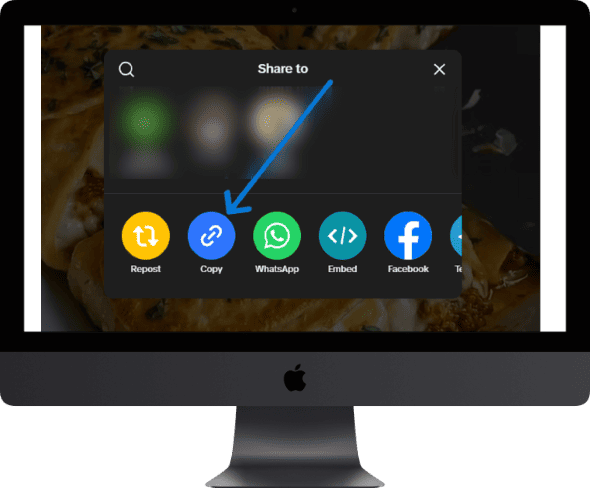
Copy Link
Tap "Share" then "Copy Link" to copy the video URL.
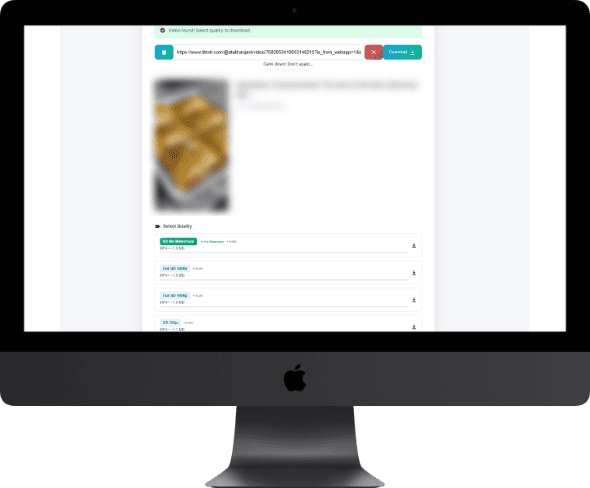
Paste Get Info
Paste URL above, click Download. Info loads in 2–5 seconds.

Choose Quality Save
Click your quality button — it downloads then turns green. Click again to save.
How to use on Mobile
Open TikTok
Find the video on TikTok app or website.
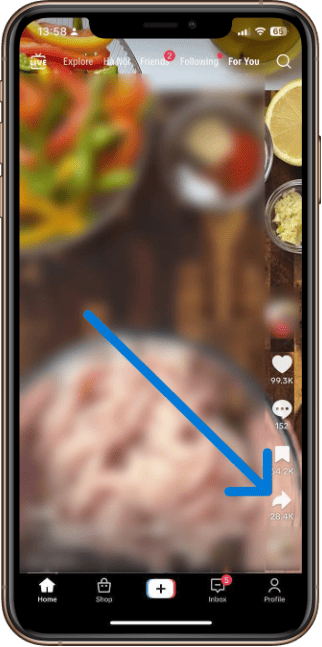
Copy Link
Tap "Share" then "Copy Link" to copy the video URL.
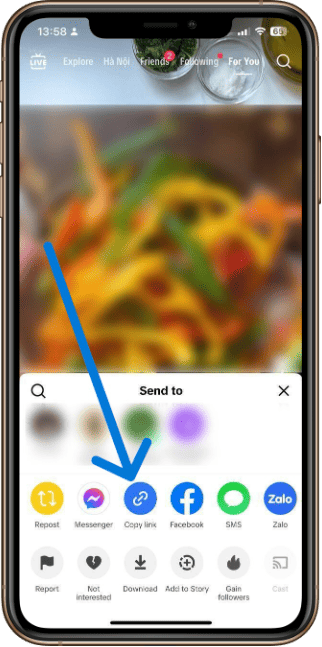
Paste Get Info
Paste URL above, click Download. Info loads in 2–5 seconds.
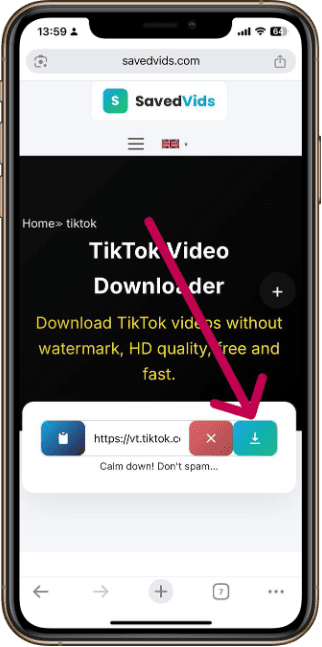
Choose Quality Save
Click your quality button — it downloads then turns green. Click again to save.
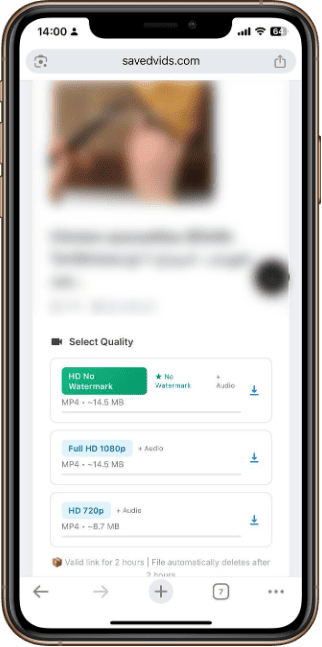
How to use on Desktop
Find the Tweet
Open X (Twitter) and find the tweet containing the video you want to download.

Copy Link
Click "Share" → "Copy link to post" to copy the tweet URL.
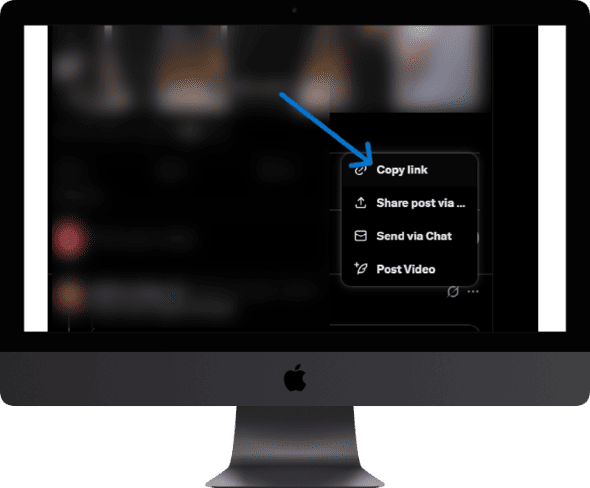
Paste & Get Link
Paste the URL in the box above and click the Download button.
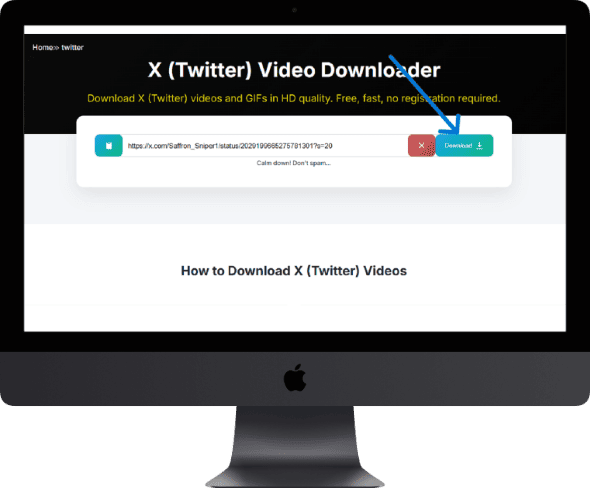
Choose Quality
Select your preferred resolution. Use Backup Download if direct fails.
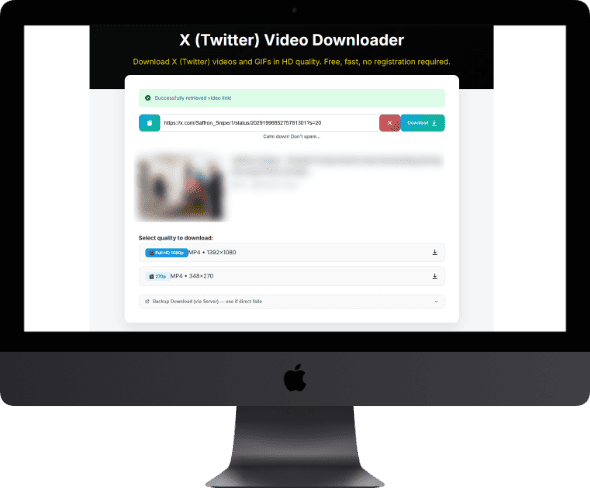
How to use on Mobile
Find the Tweet
Open X (Twitter) and find the tweet containing the video you want to download.
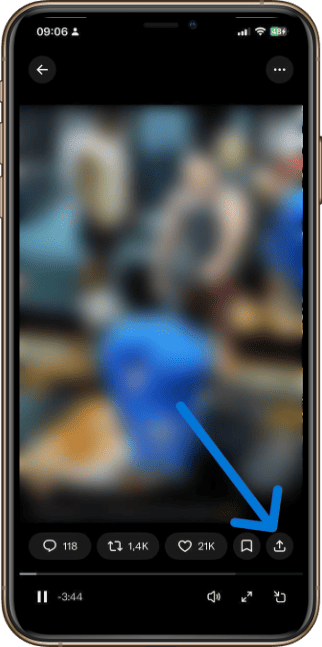
Copy Link
Click "Share" → "Copy link to post" to copy the tweet URL.
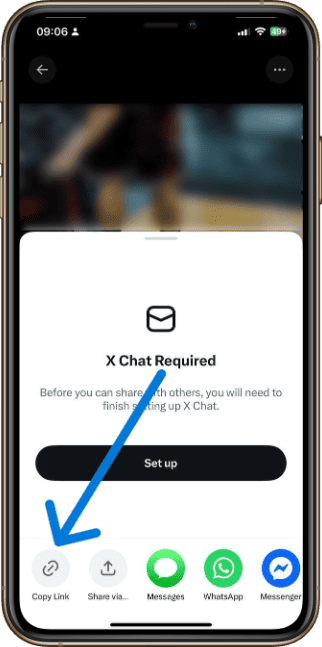
Paste & Get Link
Paste the URL in the box above and click the Download button.
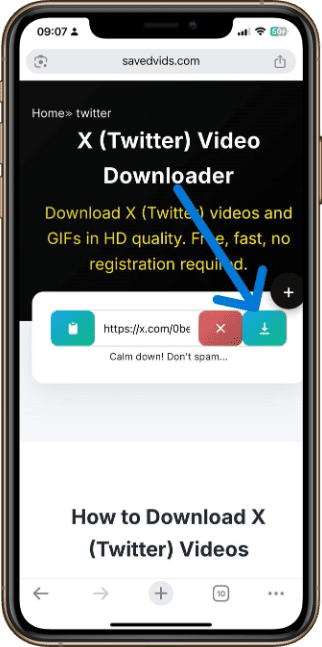
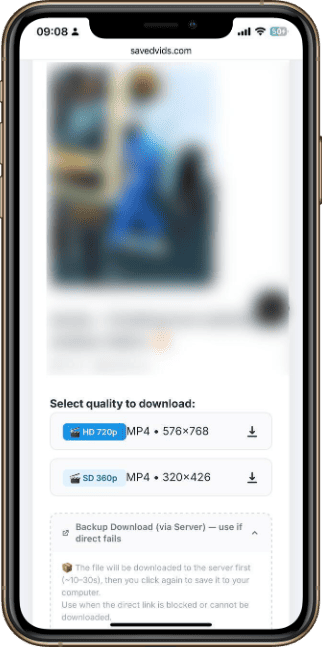
Choose Quality
Select your preferred resolution. Use Backup Download if direct fails.
How to use on Desktop
Open Instagram
Find the Reel, Post, Story or IGTV video you want.
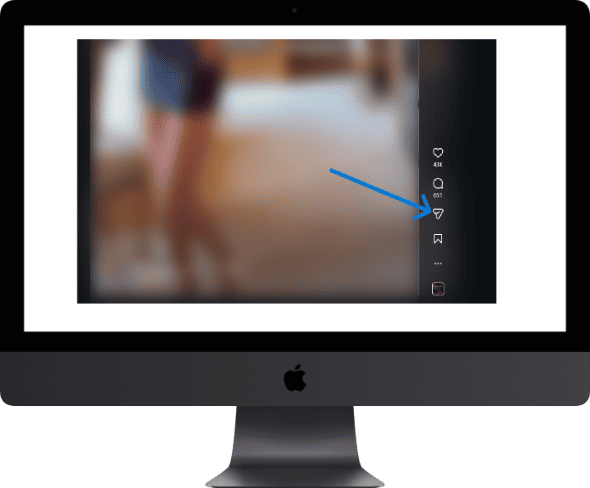
Copy Link
Tap "⋯" → "Copy Link" to get the video URL.
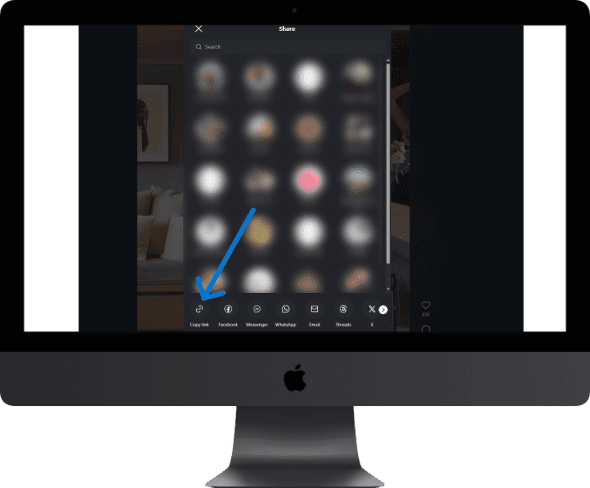
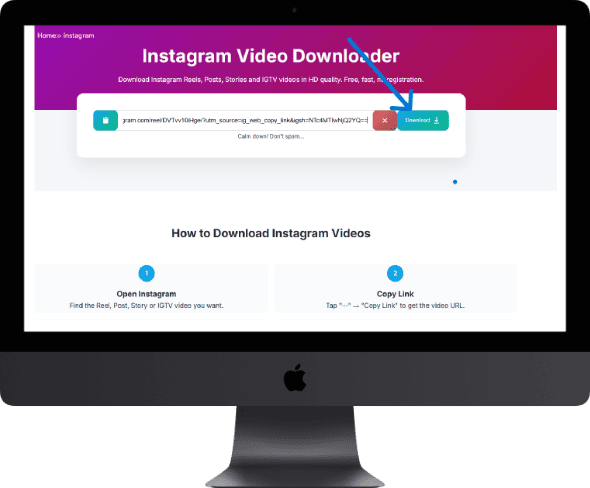
Paste Get Info
Paste URL above, click Get Link. Info loads in 2–5 seconds.
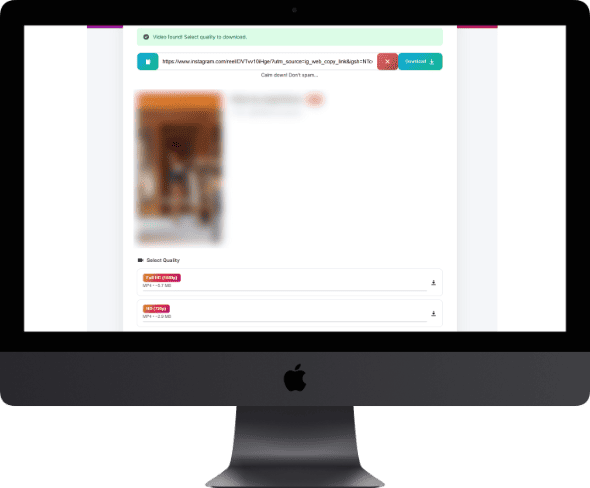
Choose Quality Save
Click your quality button — it downloads then turns green. Click again to save.
How to use on Mobile
Open Instagram
Find the Reel, Post, Story or IGTV video you want.

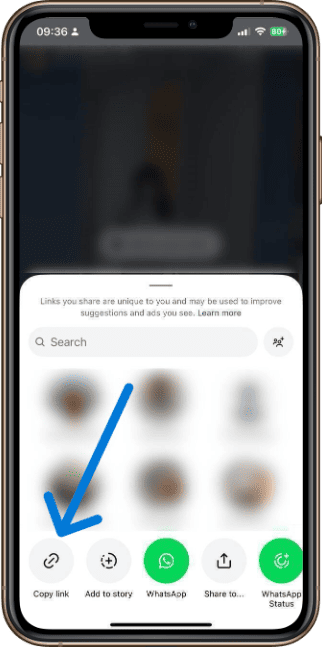
Copy Link
Tap "⋯" → "Copy Link" to get the video URL.
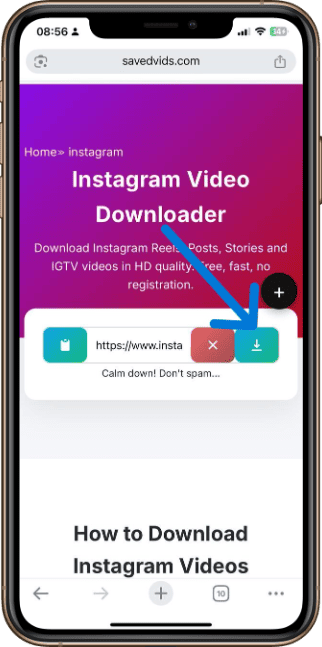
Paste Get Info
Paste URL above, click Get Link. Info loads in 2–5 seconds.
Choose Quality Save
Click your quality button — it downloads then turns green. Click again to save.
How to use on Desktop
Open Pinterest
Find the video pin you want to download on the Pinterest app or website.
Copy Link
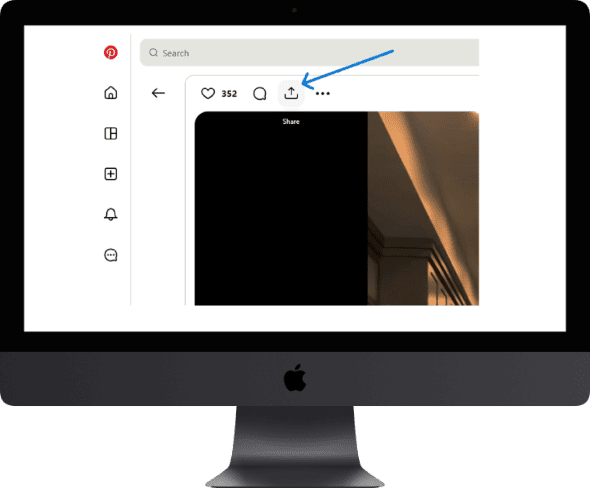
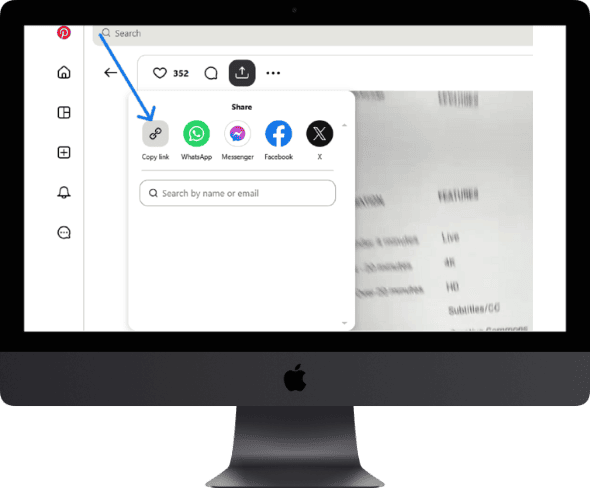
Tap the Share button then copy the pin link to clipboard.
Paste Get Info
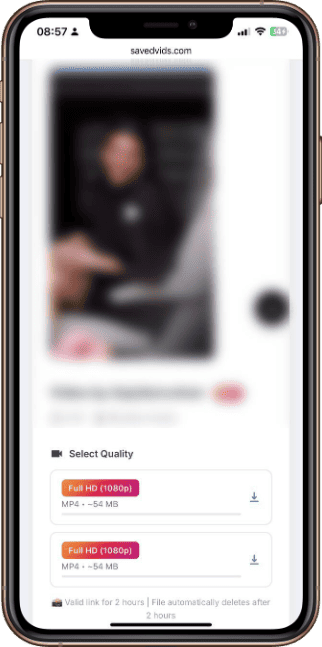
Paste the URL above and click Download. Video info loads in seconds.

Choose Quality Save
Click your preferred quality button and save the video to your device.

How to use on Mobile
Open Pinterest
Find the video pin you want to download on the Pinterest app or website.

Copy Link
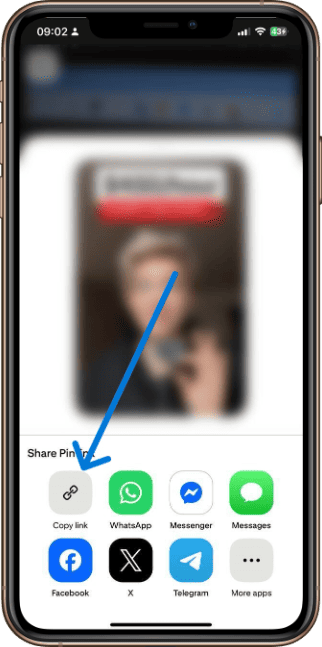
Tap the Share button then copy the pin link to clipboard.
Paste Get Info
Paste the URL above and click Download. Video info loads in seconds.

Choose Quality Save
Click your preferred quality button and save the video to your device.
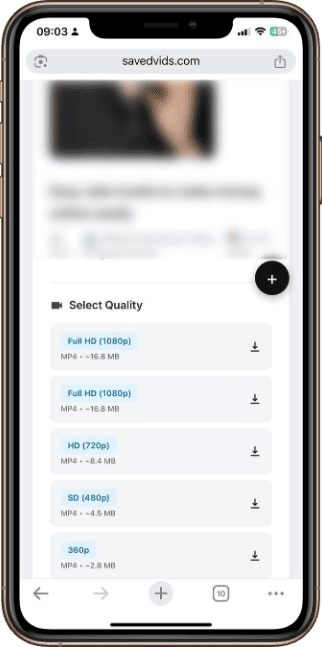
Instructions for downloading Threads videos/images
- Open the thread containing the video or image.
- Press the share button → Copy link.
- Paste the link into SavedVids and press Download.